Gemini CLI: AI-Powered Development in Your Terminal
Imagine handling complex development tasks without ever leaving your shell. Gemini CLI integrates Gemini 2.5 Pro directly into the terminal so you can explore large codebases, get AI-driven code suggestions, run it from scripts to automate tasks like querying pull requests, and, through MCP servers, connect media generation with Imagen or Veo.
Tecyfy · Published · Updated · 6 min read
Written in July 2025, when this was news. Models and prices have moved on since: today's are on Model prices.
Introduction
Picture this: you're deep in the zone, debugging a complex piece of code, when suddenly you need to understand a massive codebase or generate a new feature from scratch. Instead of switching between multiple tools and browsers, you simply type a command in your terminal and watch as AI seamlessly handles the task. Welcome to the future of development with Google's Gemini CLI.
What is Gemini CLI?
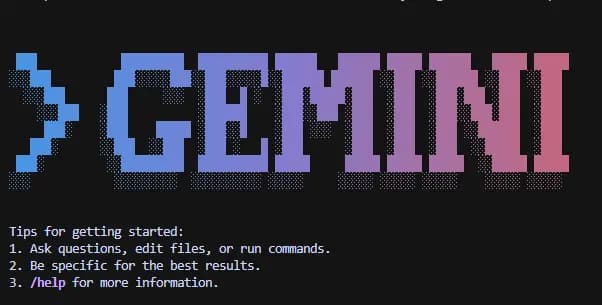
Google has released Gemini CLI, a new open-source AI command-line interface that brings Gemini directly into developers' terminals, with Gemini 2.5 Pro at launch. Think of it as having a brilliant coding assistant that lives right in your terminal, ready to help with everything from understanding complex codebases to generating entire applications.
Gemini CLI works in a reason and actReAct PatternAn agent design where the model alternates between reasoning about what to do next and taking an action, such as a tool call, then reads the result before deciding again. Most agent loops today follow it. loop with its built-in tools and local or remote MCPModel Context ProtocolAn open standard for connecting AI applications to tools and data. A system offered once as an MCP server works in any application that speaks MCP. servers to complete complex use cases like fixing bugs, creating new features and improving test coverage. This isn't just another chatbot it's an intelligent agentAgentA model that uses tools in a loop, deciding each next step from what the last one returned, until the task is done. that can actually interact with your development environment.
When Was It Launched?
Google released Gemini CLI on 25 June 2025, open source under the Apache 2.0 licence.
Key Use Cases That Will Transform Your Development
1. Codebase Understanding at Scale
Imagine having a colleague who can instantly understand your entire codebase and explain any part of it. Gemini CLI can query and edit large codebases; at launch it used Gemini 2.5 Pro, with its 1 million token context windowContext WindowEverything a model can see at once while it writes an answer, counted in tokens. When the window is full, something has to be left out.. This means you can ask questions like "How does authentication work in this project?" or "What's the best way to add caching to this API?" and get contextual answers based on your actual code.
2. Rapid Application Generation
Generate new apps from PDFs or sketches, using Gemini's multimodal capabilities. You can literally sketch an app interface on paper, show it to Gemini CLI, and watch it generate the code structure.
3. Intelligent Debugging
Instead of spending hours tracking down bugs, describe the issue to Gemini CLI and let it analyze your code, identify potential problems, and suggest fixes. It's like having a senior developer reviewing your code 24/7.
4. Research and Documentation
Need to understand a new technology or framework? Gemini CLI can research, summarize, and even create documentation based on your specific needs and existing codebase.
The Benefits That Set Gemini CLI Apart
| Feature | Benefit | Impact |
|---|---|---|
| Terminal Native | No context switching between tools | Work stays in the shell you already use |
| 1M Token Context | Holds a lot of code at once | Query and edit large codebases |
| ReAct Loop | Autonomous problem-solving | Handles complex multi-step tasks |
| Multimodal Input | Works with text, images, and sketches | Natural interaction with diverse inputs |
| Open Source | Full transparency and customization | Community-driven improvements |
Unmatched Performance
At launch a personal Google account gave free use of Gemini 2.5 Pro at 60 requests a minute and 1,000 a day, during the preview, which Google called the industry's largest allowance. Since 18 June 2026 Gemini CLI has no free tier; free personal accounts use Antigravity CLI instead.
Developer-First Design
Designed for flexibility, transparency, and developer-first workflows, Gemini CLI understands that developers need tools that integrate seamlessly into their existing workflows rather than forcing them to adapt to new interfaces.
A Quick Look at Claude Code
Anthropic's Claude Code works the same way: an agent in the terminal that reads, edits and runs code. Our coding agents guide covers setting it up. The emergence of both Gemini CLI and Claude Code signals a clear trend: the future of development is conversational, and the terminal is becoming the new battleground for AI assistants.
However, the real benefit for developers isn't about choosing sides it's about having options. Different AI models excel in different areas, and having multiple tools means you can choose the best one for each specific task.
Where This Technology Is Heading
The launch of Gemini CLI represents more than just another developer tool it's a glimpse into the future of software development. We're moving toward a world where:
Natural Language Programming becomes mainstream. Instead of memorizing syntax, developers will describe what they want to build and let AI handle the implementation details.
Autonomous Development Agents will handle routine tasks, freeing developers to focus on creative problem-solving and architecture decisions.
Collaborative Intelligence will emerge, where human creativity combines with AI efficiency to tackle problems that neither could solve alone.
The industry is rapidly evolving toward AI-first development environments where the line between human and machine contribution becomes beautifully blurred.
Getting Started with Gemini CLI
These steps follow the project's own README. You need Node.js installed.
Step 1: Install
# Run it once without installing
npx @google/gemini-cli

# Or install it for good, with npm or Homebrew
npm install -g @google/gemini-cli
brew install gemini-cli
Install it only from these official sources. Never pipe a script from an unfamiliar website into your shell to install a tool like this.
Step 2: Sign in
Start it in your project folder and choose Sign in with Google when asked; a browser window finishes the sign-in. Since 18 June 2026 Gemini CLI has no free tier: Sign in with Google works with a paid Gemini Code Assist Standard or Enterprise licence, and free personal accounts now use Antigravity CLI. You can also use a Gemini API key instead.
cd my-project
gemini
Step 3: Ask about your code
In the session, ask in plain words: "Explain the structure of this codebase" or "Where is the user's email validated?".
Step 4: Use it from scripts
The -p flag runs a single prompt without opening a session, and -m picks the model:
gemini -p "Explain the architecture of this codebase"
gemini -m gemini-2.5-flash -p "Summarise the last 5 commits"
Step 5: Run risky work in a sandbox
The -s flag runs shell commands and file changes in a sandbox that limits what they can touch on your machine. On macOS the default profile confines writes to the project folder but still allows broad file reads and network access, so it reduces risk rather than removing it:
gemini -s -p "Try upgrading the test framework and run the tests"
A GEMINI.md file in your project gives it standing instructions, the same idea as Claude Code's project instructions.
Best Practices for Maximum Productivity
-
Be Specific: Instead of "fix this bug," try "this function is returning undefined when it should return a user object."
-
Provide Context: Use the file inclusion features to give Gemini CLI access to relevant code files.
-
Iterate Gradually: Start with small tasks and gradually increase complexity as you become comfortable with the tool.
-
Combine with Existing Tools: Gemini CLI works best when integrated into your existing development workflow, not as a replacement for everything.
The Road Ahead
The release of Gemini CLI marks a pivotal moment in software development. We're witnessing the emergence of truly intelligent development environments where AI doesn't just suggest code it understands intent, context, and can take autonomous action.
Gemini CLI competes directly with other command-line AI tools, which means we can expect rapid innovation and improvement in this space. As these tools mature, we'll likely see:
- Deeper IDE Integration: Seamless integration with popular development environments
- Enhanced Collaboration: AI agents that can work together on complex projects
- Specialized Domain Knowledge: AI assistants trained on specific frameworks, languages, or industries
- Autonomous Code Reviews: AI that can not only suggest improvements but implement them
Tecyfy Takeaway
The future of development is here, and it's more accessible than ever. With tools like Gemini CLI, the barrier between having an idea and building it continues to shrink. Whether you're a seasoned developer looking to accelerate your workflow or a newcomer trying to understand complex codebases, Gemini CLI offers a glimpse into a world where coding becomes more intuitive, efficient, and dare we say it fun.
The question isn't whether AI will transform software development the question is how quickly you'll embrace these tools to stay ahead of the curve. Gemini CLI is now maintained for teams with a Gemini Code Assist Standard or Enterprise licence; on a free personal account, Google points you to Antigravity CLI.
Ready to revolutionize your development workflow? Head over to the Gemini CLI GitHub repository and start building the future today.
Questions
- What is Gemini CLI?
- Google's open-source coding agent for the terminal, released on 25 June 2025 under the Apache 2.0 licence. It works in a reason and act loop with built-in tools and MCP servers to read, edit and run code in your project.
- How do I install Gemini CLI?
- With Node.js installed, run npx @google/gemini-cli once, or install it with npm install -g @google/gemini-cli or brew install gemini-cli. Install it only from these official sources.
- Is Gemini CLI free?
- Signing in with a personal Google account gives a free tier. At launch, during the preview, it allowed 60 requests a minute and 1,000 a day, which Google called the industry's largest allowance. Since 18 June 2026 there is no free tier: free individual access moved to Antigravity CLI. A Gemini API key also works.
- How do I run Gemini CLI from a script?
- The -p flag runs a single prompt without opening a session, -m picks the model and -s runs the agent's commands and file changes in an isolated sandbox.
- What is GEMINI.md?
- A file in your project that gives Gemini CLI standing instructions for every session, the same idea as Claude Code's CLAUDE.md project instructions.
Sources